
Download Shufflr – Free Social Video Browser, Secure Updates & Easy Sharing
Overview of Shufflr
Shufflr is a modern, full‑screen video browser that blends powerful search capabilities with tightly integrated social features. Built on Adobe Air, the application offers a sleek, black‑themed interface that feels both cinematic and intuitive. Whether you’re a casual viewer looking for the next viral clip or a power user hunting for niche content, Shufflr aggregates the biggest video portals—including YouTube, Metacafe, and others—into one seamless experience. The real differentiator is its social engine: you can share what you’re watching instantly with friends on Shufflr, post directly to Facebook, and soon to Twitter, creating a personalized recommendation loop based on the tastes of your community. This means the more you interact, the smarter the algorithm becomes, surfacing videos that match your interests without endless manual searching. While the app is free to download and regularly receives secure updates, it does demand a capable machine; older PCs may feel the strain of the Adobe Air runtime. Nonetheless, Shufflr delivers a visually striking, community‑driven video discovery tool that feels like a blend of a media player, social network, and recommendation engine—all in one.
Key Features that Set Shufflr Apart
- Unified Video Search: Access YouTube, Metacafe, Vimeo, and other major portals from a single search bar.
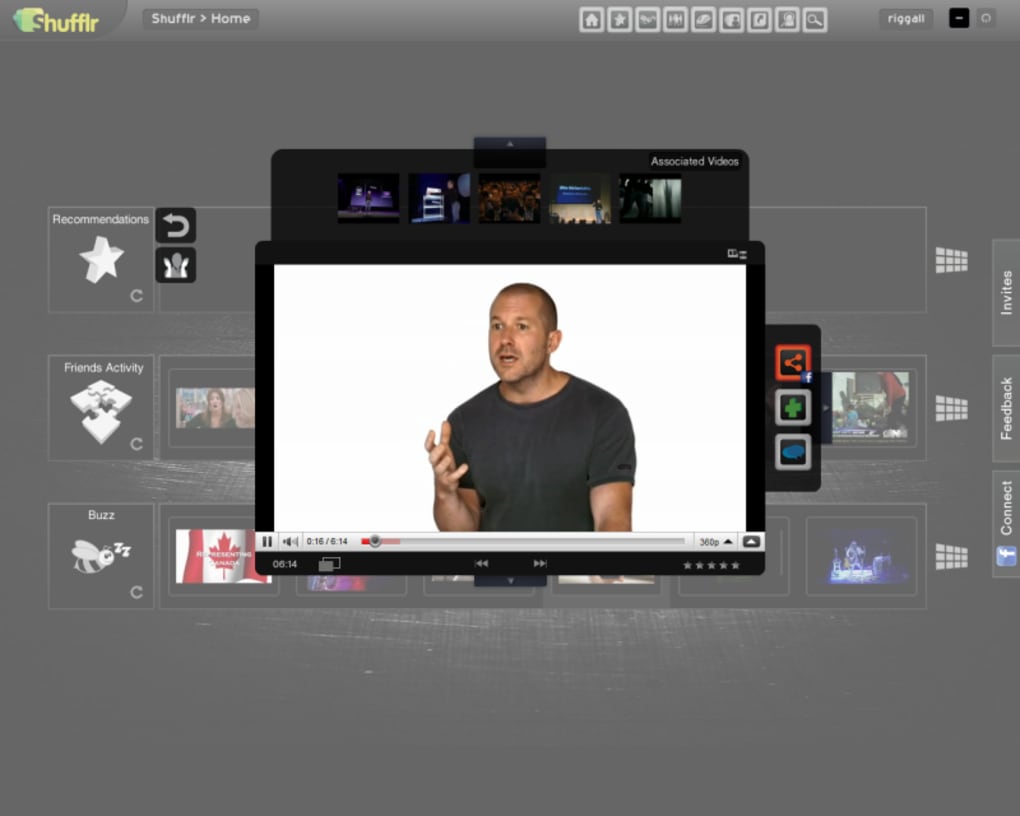
- Full‑Screen 3D Browsing: Drag a wall of video thumbnails in a smooth 3D environment for a dramatic browsing experience.
- Social Integration: Share videos instantly with Shufflr friends, Facebook, and upcoming Twitter support.
- Personalized Recommendations: Auto‑generated suggestions based on the viewing habits of your social circle.
- Secure Updates: Automatic, signed updates ensure you always run the latest, most secure version.
- Cross‑Platform Compatibility: Runs on Windows, macOS, and Linux via Adobe Air, with plans for mobile (Android & iOS) versions.
- Free to Use: No hidden fees, premium tiers, or trial periods—download and start sharing right away.
Beyond the bullet points, Shufflr’s design philosophy emphasizes immersion. The dark interface reduces eye strain during long viewing sessions, while the full‑screen mode eliminates browser clutter. The 3D navigation isn’t just a gimmick; it allows you to quickly scan large video collections, making it easier to spot trending clips or hidden gems. Social integration goes deeper than a simple “share” button—when you like a video, your Shufflr friends see it in real time, sparking spontaneous discussions. The recommendation engine learns from these interactions, constantly refining its suggestions. For creators, this creates a built‑in audience that can be reached with a single click, bypassing the need for separate social media campaigns. Overall, Shufflr combines the convenience of a traditional video player with the community dynamics of a modern social app, delivering a uniquely engaging experience.
Installation & Usage Guide
Step‑by‑Step Installation
Downloading and installing Shufflr is straightforward. Follow these steps for a smooth setup on Windows, macOS, or Linux:
- Visit the official Shufflr website and click the Download Free button. The site automatically detects your operating system and offers the correct installer package.
- For Windows, run the
.exefile; for macOS, open the.dmgand drag the Shufflr icon to your Applications folder; for Linux, extract the.tar.gzarchive and execute the providedinstall.shscript. - The installer will check for Adobe Air runtime. If it’s missing, the installer will prompt you to download and install the latest version from Adobe’s official site—this ensures a secure, up‑to‑date environment.
- After installation, launch Shufflr. The first launch may take a few seconds as it initializes the video index and connects to your social accounts.
- Log in with your existing Shufflr account or create a new one using an email address or Facebook credentials. Linking Facebook enables one‑click sharing and expands your recommendation network.
Getting Started with the Interface
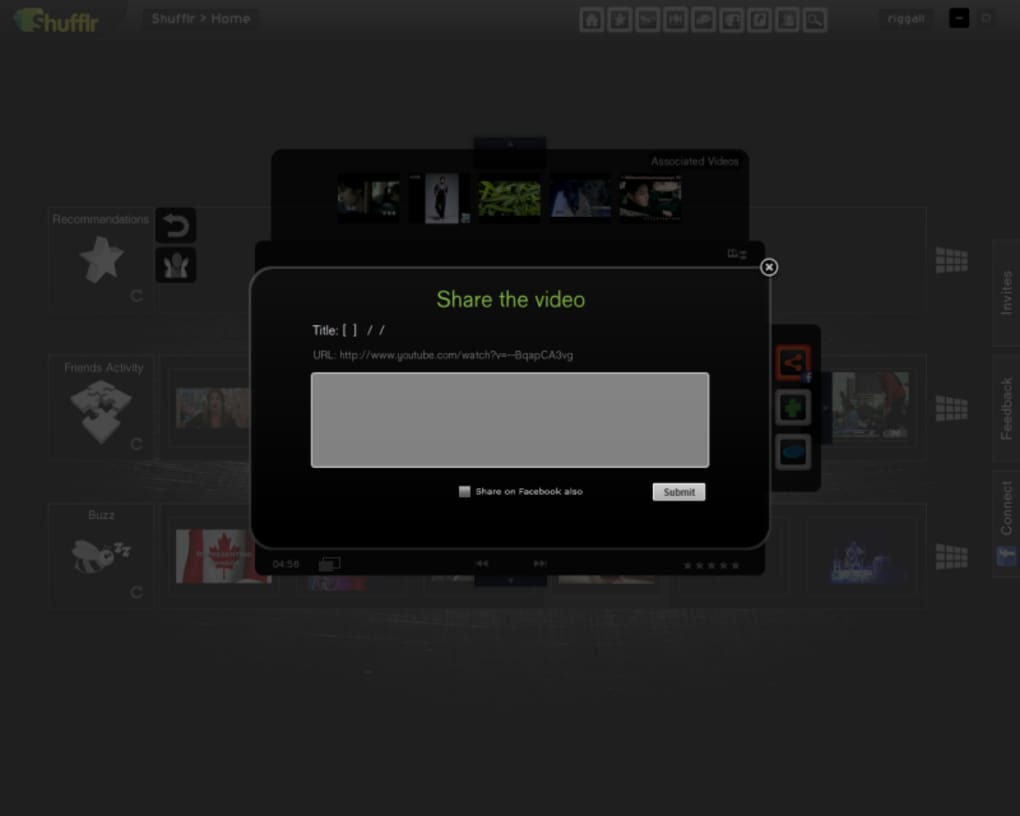
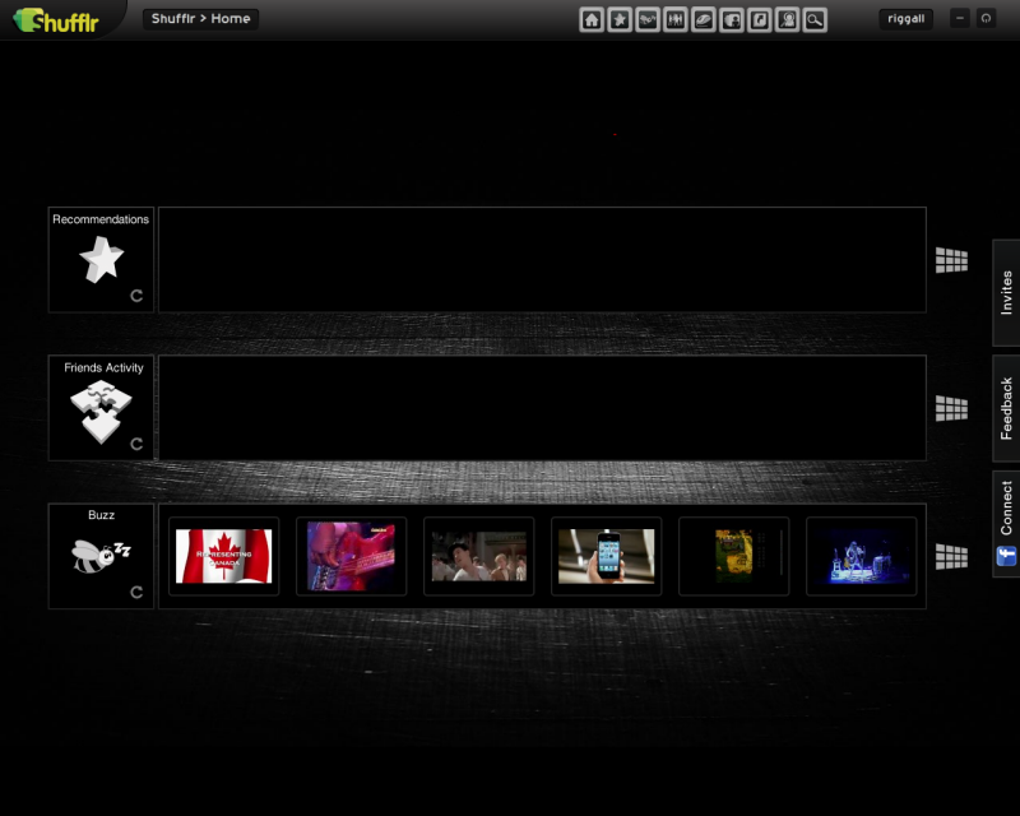
When Shufflr opens, you’ll be greeted by a full‑screen black canvas. The central search bar invites you to type keywords, video URLs, or channel names. Below the search bar, a dynamic “wall” displays thumbnail previews of the top results. Use your mouse or trackpad to drag the wall left or right, revealing new rows of videos. Hovering over a thumbnail reveals a brief description, view count, and a quick‑share button. Click a thumbnail to start playback; the video occupies the entire screen, while a minimal control bar at the bottom lets you pause, adjust volume, or exit full‑screen mode. To interact socially, click the “Share” icon to post to your Shufflr feed or directly to Facebook. You can also add friends by searching their usernames or importing contacts from Facebook. The more you engage—liking, commenting, sharing—the richer your personalized recommendation feed becomes.
Compatibility, Pros & Cons
Supported Operating Systems: Windows 10/11 (64‑bit), macOS 10.15+ (Catalina and later), Linux distributions with Adobe Air support (Ubuntu, Fedora, etc.). Mobile versions for Android and iOS are slated for future release, expanding the platform reach.
Pros
- Elegant full‑screen UI that enhances video immersion.
- Powerful social sharing directly to Facebook and soon Twitter.
- Personalized recommendations driven by community activity.
- Free, regularly updated, and secure via signed Adobe Air packages.
- Cross‑platform support for Windows, macOS, and Linux.
Cons
- No windowed mode – the app always runs full screen, limiting multitasking.
- Resource‑heavy on older machines; Adobe Air can consume significant RAM and CPU.
- Community is still growing; recommendation quality improves as the user base expands.
- Mobile apps are not yet available, restricting on‑the‑go usage.
Overall Rating: 4.2/5 – Shufflr delivers a unique blend of video browsing and social interaction, making it a standout free tool for video enthusiasts who value community‑driven recommendations.
Frequently Asked Questions
Is Shufflr completely free to use?
Yes, Shufflr is a free software application. There are no hidden fees, subscription tiers, or trial periods. All core features, including social sharing and personalized recommendations, are available at no cost.
What video platforms does Shufflr support?
Shufflr aggregates major video portals such as YouTube, Metacafe, Vimeo, Dailymotion, and several niche sites. The search bar pulls results from all integrated sources, giving you a single point of access.
Can I share videos to platforms other than Facebook?
Currently, Shufflr supports direct sharing to Facebook and a built‑in Shufflr friend network. Twitter integration is in beta and will be officially released soon, expanding your sharing options.
Do I need an Adobe Air account to use Shufflr?
You do not need a separate Adobe Air account, but the Adobe Air runtime must be installed on your computer. The installer will automatically download and set up the latest runtime if it is missing.
Will Shufflr work on older hardware?
Shufflr is optimized for modern PCs. While it will run on older machines, the Adobe Air framework can be resource‑intensive, leading to slower performance or occasional lag during 3D browsing.
Conclusion & Call to Action
Shufflr redefines how we discover and share online video by marrying a visually striking full‑screen player with a thriving social ecosystem. Its free, secure, and regularly updated nature makes it an attractive choice for anyone who wants more than a traditional video player. Although the lack of a windowed mode and higher system requirements may deter users with older hardware, the benefits of community‑driven recommendations and seamless Facebook sharing outweigh these minor drawbacks for most modern users. Ready to experience a new way to watch, share, and explore videos?
Download Shufflr now and join a growing community of video enthusiasts who are already enjoying personalized feeds, 3D browsing, and instant social sharing. Stay tuned for upcoming mobile apps and expanded social integrations—your next favorite video is just a shuffle away.







